
Phone Cleaner - AI Cleaner
Brain TrustTools
4.815.54K Reviews
- Version
- 1.0.104
- Installs
- 50.00M
- Age Rating
- Everyone
Screenshots
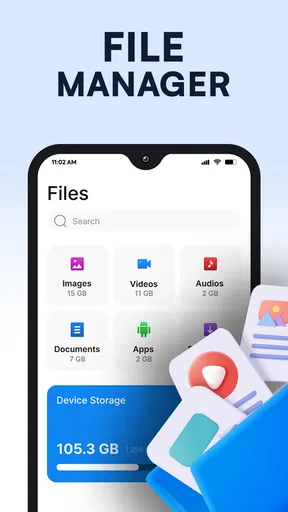
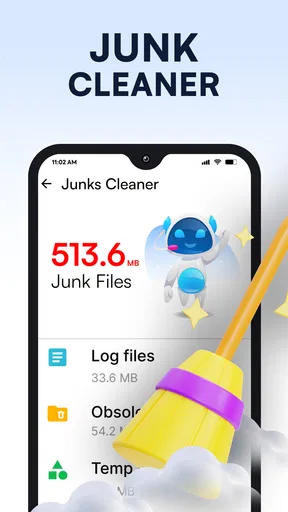
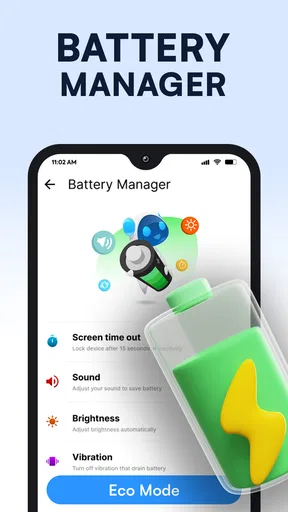
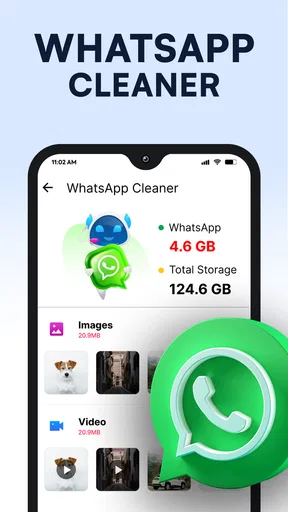
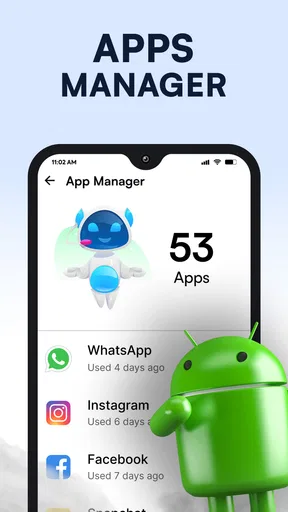
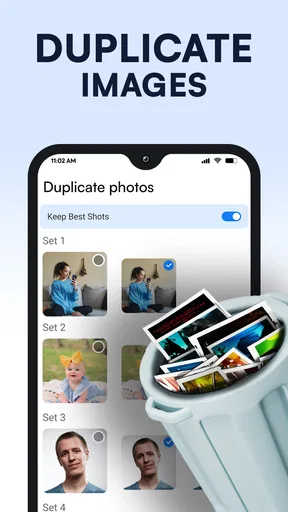
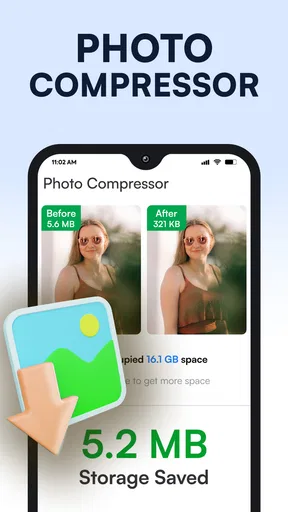
Our Review of Phone Cleaner - AI Cleaner
 Analysis by Appyee
I installed Phone Cleaner - AI Cleaner to see whether it could make the unpleasant job of clearing phone storage feel more manageable. The app comes from Brain Trust and sits in the tools category, with a simple promise: help identify clutter so you can decide what deserves to stay. That sounds modest, but it addresses a problem most of us recognize. A phone can become crowded with screenshots, duplicate-looking images, forgotten downloads, and large files long before we notice the warning.
My first impression was that this is aimed at people who want guidance rather than a complicated maintenance dashboard. It is free to start, rated for Everyone, and works on Android 7.0 or later. The current version is 1.0.104, while optional in-app purchases cost $19.99 per item. That pricing detail matters because the useful question is not simply whether the app opens without payment; it is whether the cleaning workflow gives you enough value before you decide whether an upgrade is worthwhile.
After spending time with it, I see Phone Cleaner - AI Cleaner as a decision-making assistant more than a magic button. It can make a messy storage problem easier to inspect, but it still depends on me reviewing suggestions carefully. If you expect one tap to transform a full phone without any checking, you may find the process slower than the advertising-style idea of an “AI cleaner” suggests. If you prefer a visual way to sort through digital clutter, its approach is more appealing.
From a crowded phone to a more deliberate cleanup
I find shared phones make cleanup less straightforward: one person’s disposable screenshot may be another person’s receipt or school reference. This section looks at how to use a guided review without treating every file as belonging to a single user, and why a little coordination before deleting can prevent avoidable mistakes.
Starting with the real storage problem
The most useful way to approach this app is to begin with a specific problem instead of pressing every cleaning option immediately. For example, imagine returning from a trip with a phone full of camera images, screenshots of directions, repeated downloads from group chats, and several videos that were useful for one day but no longer matter. The goal is not to delete as much as possible. The goal is to recover space without removing something I may need later.
That distinction shaped my experience. A cleaner can point toward likely clutter, but it cannot know the personal meaning of every photograph or document. A screenshot of a temporary delivery code may be disposable, while a similar-looking screenshot could contain an important receipt. I treated the app’s suggestions as a shortlist for inspection, not as permission to erase blindly. This is the habit I would recommend to anyone using it.
The AI angle is most helpful when it reduces the amount of manual browsing. Instead of opening unrelated folders one by one, I can start with groups that appear likely to contain unnecessary material. That changes the emotional side of cleanup: the phone feels less like an archive I must understand completely and more like a queue of decisions. The trade-off is that automated grouping can never replace context, so the final review remains mine.
Moving through the scan and review process
The first practical step is to let the app examine the areas it is designed to organize. I would not begin a cleanup while rushing out the door or while the phone is being used for something important. A calm review is worthwhile because the most valuable part is not the initial scan; it is the inspection that follows. The app’s role is to bring possible targets together so I can work through them in a sensible order.
I prefer starting with obvious, low-risk material. Old screenshots, accidental captures, and files I recognize as temporary are easier decisions than personal photographs or work documents. This creates a useful workflow: remove what is clearly disposable, reassess the storage situation, and only then consider more ambiguous groups. It also prevents the common mistake of treating every suggested item as equally safe to delete.
One non-obvious benefit is that a visual review can reveal habits rather than just files. If I keep seeing the same kind of screenshot, forwarded clip, or repeated image, the problem is not only the current backlog. It tells me where future clutter will come from. In my case, the cleanup becomes more valuable when I use that observation to change how I save or share things afterward.
I also found it sensible to pause between categories. A long, uninterrupted deletion session encourages careless tapping, especially when many items look alike. Short batches make it easier to remember what I selected and to notice whether the phone is actually becoming easier to use. This is a simple technique, but it is one of the strongest safeguards when an app is helping with irreversible housekeeping.
The handoff between suggestions and personal judgment
The important handoff happens when Phone Cleaner - AI Cleaner presents a possible cleanup and I take responsibility for the final choice. That handoff is where the app either earns its place or becomes unnecessary. If the suggestions are too broad, I still have to do all the work manually. If they are well organized, I can spend my attention on the few borderline items that actually need thought.
I would be especially careful with family photos, work-related images, scanned paperwork, travel documents, and anything saved for offline access. Similarity is not the same as uselessness. Two pictures may look almost identical while one has better focus, a different crop, or a detail that matters later. For those groups, I would review larger previews and keep a little more than the absolute minimum.
This is also where a backup habit becomes important. Before a major cleanup, I would make sure irreplaceable photos and documents exist somewhere else I trust. A cleaner app can improve organization, but it should not become the only safeguard for memories or records. Phone Cleaner - AI Cleaner is most comfortable when used as part of a broader routine rather than as a substitute for backups.
Another useful handoff is between the app and the phone’s own storage tools. Android already provides system-level ways to inspect storage and manage applications. I would use those tools for items the cleaner cannot interpret well, such as oversized applications, offline media controlled by another app, or system-related storage. Phone Cleaner - AI Cleaner is better suited to helping me sort personal clutter than replacing every storage control on the device.
What the result feels like in everyday use
The outcome I value is not merely a smaller storage number. It is being able to find recent photos without scrolling through a chaotic camera roll, download a file without immediately seeing a storage warning, or record a short video without first deleting something in a panic. When the app helps me reach that point with fewer manual searches, it has done its job.
Consider a realistic weekly scenario. I receive several images in a family conversation, capture screenshots while comparing products, and save a few documents for a short trip. By the weekend, the phone feels disorganized. I can use the app to bring likely duplicates and temporary images into view, remove only the items I recognize, then handle large or application-specific storage through Android’s own settings. That division of labor is more reliable than expecting one tool to understand everything.
The result is also psychological. A phone that is nearly full creates small interruptions everywhere, and those interruptions make people postpone cleanup even longer. A guided review lowers the starting effort. I do not have to remember every folder or invent a sorting system from scratch. The strongest value is therefore convenience and focus, not a promise that every byte of storage will be recovered.
Phone Cleaner - AI Cleaner has clearly found an audience: it has passed 50 million installs, with an average rating of 4.8 from around 715 thousand ratings and roughly 15 thousand written reviews. Those figures suggest that the basic idea resonates with many Android users. They do not remove the need for care, though. A popular cleaner can still be a poor fit for someone who wants complete manual control over every file.
Where the workflow breaks down
The biggest friction is the point where automated confidence meets human uncertainty. A recommendation may look sensible at a glance, yet I may know something about a file that the app cannot know. If I have to open and inspect nearly every suggestion, the process becomes a more attractive file browser rather than a truly effortless cleanup. That is not a deal-breaker, but it sets realistic expectations.
There is also a difference between cleaning visible personal media and solving the entire storage problem. If an application itself occupies substantial space, or if offline content is managed inside another service, a phone cleaner may not be able to give the final answer. In those cases, Android’s storage screen or the relevant app’s own download controls are the better destination. I would not install this expecting it to replace those options.
The free-to-start model deserves attention too. Optional purchases are listed at $19.99 per item, so I would explore the ordinary workflow first and decide whether the recurring convenience justifies spending money. Someone who cleans a phone once every year may prefer Android’s built-in tools and a manual photo review. Someone who repeatedly postpones cleanup because the task feels overwhelming may place a higher value on organized suggestions.
I would also skip it if I am extremely cautious about automated file categorization or if I already maintain a precise folder and backup system. In that situation, adding another layer may create more checking rather than less. The app is more compelling for people whose media library is messy, whose storage warnings arrive at inconvenient moments, or who want a clear starting point without learning a technical file manager.
Who gets the most from this particular cleaner
For a busy Android user, the strongest workflow is a short, regular review rather than an emergency purge. I would open it when I have time, begin with low-risk clutter, inspect the suggested groups, and stop once the phone feels comfortable again. This avoids turning cleanup into a stressful session and makes it easier to notice whether the app is actually saving time.
It can also help less technical users who are uncomfortable navigating folders. The visual, guided approach is easier to explain to a family member than a long list of storage paths and file types. I would still advise them to ask before deleting personal photos or documents, but the app gives them a more approachable place to begin.
For people managing a phone used for work, the benefit is selective cleanup. Temporary screenshots and duplicate-looking media can be reviewed without immediately touching business files. The limitation is that professional users should be even more conservative: a small image or downloaded document may be part of a record, and convenience should never outrank retention needs.
Its Everyone age rating makes it broadly approachable, but that does not mean every user should operate it without guidance. Younger users may not recognize the difference between a disposable download and an important school file. The app can simplify the mechanics, while an adult still needs to explain what should be preserved.
My practical routine for safer, better results
I would use a four-part routine. First, identify the reason for cleaning: a storage warning, a cluttered gallery, or difficulty finding recent items. Second, let the app surface candidates, but start with material whose purpose I clearly remember. Third, pause before confirming anything personal or ambiguous. Finally, check the phone’s own storage tools for applications and other categories outside the cleaner’s main strength.
One particularly useful tip is to treat “similar” as an invitation to compare, not a verdict. Keep the sharper image, the version with the full document, or the copy that includes useful context. Another is to clean in batches small enough that I can reverse my thinking before moving on. A third is to use the result as feedback: if screenshots dominate every session, I should delete them sooner or change the way I save temporary information.
I would avoid running a broad cleanup immediately after installing the app if I am distracted. The first review teaches me how its suggestions are presented and which categories deserve extra caution. Once I understand that rhythm, later sessions become faster. That learning curve is a worthwhile exchange for the convenience of having likely clutter gathered in one place.
My final take after following the whole workflow
Phone Cleaner - AI Cleaner is best understood as a guided sorting tool, not a guaranteed one-tap rescue. Brain Trust has made a free tools app that can give a crowded Android phone a clearer starting point, especially when the biggest obstacle is not knowing where to begin. Its AI-assisted approach is useful when it reduces browsing, while its limitations become visible whenever personal context matters.
I like it for regular, cautious maintenance and for the everyday situation where screenshots, shared images, and temporary files gradually take over. I would recommend it to a friend who wants help making those decisions but is willing to review them. I would not recommend relying on it alone for important records, application storage, or backups. For those jobs, the phone’s built-in controls and a dependable backup routine remain better choices.
With its free entry point, Everyone rating, broad Android compatibility from version 7.0 onward, and a current version of 1.0.104, it is easy to try without committing immediately. Just remember that the best outcome comes from the handoff between automation and judgment. Let the app narrow the search, then make the final call yourself. That approach delivers a cleaner, calmer phone without pretending that software can understand the personal value of every file.
Verdict
Strengths of Phone Cleaner - AI Cleaner
- AI-assisted scans make it easy to identify unwanted files.
- Duplicate photo detection helps free up storage quickly.
- The interface is simple enough for first-time users.
- Junk-file categories make cleanup choices easier to understand.
- Useful storage insights help you see what is taking up space.
Limitations of Phone Cleaner - AI Cleaner
- Some cleanup features may require a premium subscription.
- Deep scans can take longer on devices with extensive media libraries.
- AI suggestions may occasionally flag files you want to keep.
- Aggressive cleaning can remove files without careful review.
- Battery and storage permissions may feel intrusive to privacy-conscious users.
Similar Picks in This Category
View All
Google LLC4.0

Gboard - the Google Keyboard
Google LLC4.5

Google Play services
Google LLC4.3

Google Play Store
Google LLC4.9

Files by Google
Google LLC4.5

SHAREit: Transfer, Share Files
Smart Media4U Technology Pte.Ltd.4.3
Frequently Asked Questions
What is Phone Cleaner - AI Cleaner, and what does it do?
Phone Cleaner - AI Cleaner is designed to help organize and free up storage on your mobile device. After scanning, it can typically identify large files, duplicate or similar photos, unwanted videos, unused downloads, and other items that may no longer be necessary. Its main value is presenting cleanup suggestions in one place, so you can review them before deleting anything rather than searching through folders manually.
Is Phone Cleaner - AI Cleaner safe to use, and can it delete important files?
The app can be useful, but users should still review every cleaning category carefully before confirming deletion. Cleaner apps generally require access to photos, videos, and storage so they can analyze your files, and an incorrect selection could remove something you wanted to keep. Before using an automatic cleanup option, check the preview, protect important media, and maintain a backup through your preferred cloud or computer service.
Does Phone Cleaner - AI Cleaner require a subscription or contain in-app purchases?
Availability of features may depend on the version installed, your device, and the developer’s current pricing model. Many cleaner applications offer a free scan or limited tools while placing advanced cleanup, unlimited processing, or extra utilities behind advertising, a trial, or a subscription. Check the app-store listing and the purchase screen carefully, especially the renewal terms, trial duration, and cancellation instructions before accepting any offer.
Can Phone Cleaner - AI Cleaner improve my phone’s speed or battery life?
Removing unnecessary files can recover storage space and may make file management more convenient, particularly when your device is nearly full. However, a cleaner cannot guarantee a major improvement in processing speed or battery life. Modern Android and iOS systems already manage memory and background activity, so closing apps repeatedly is not always helpful. The most dependable benefit is usually storage organization rather than dramatic performance gains.
What permissions does Phone Cleaner - AI Cleaner need, and does it upload my files?
A phone-cleaning app normally needs permission to inspect photos, videos, documents, and available storage in order to find duplicates or large items. Whether files are processed entirely on the device or sent to online services depends on the app’s privacy design and current policy. Before downloading, read the store privacy labels and the developer’s privacy policy, and avoid granting contacts, microphone, location, or other unrelated permissions.
